
Quick verdict
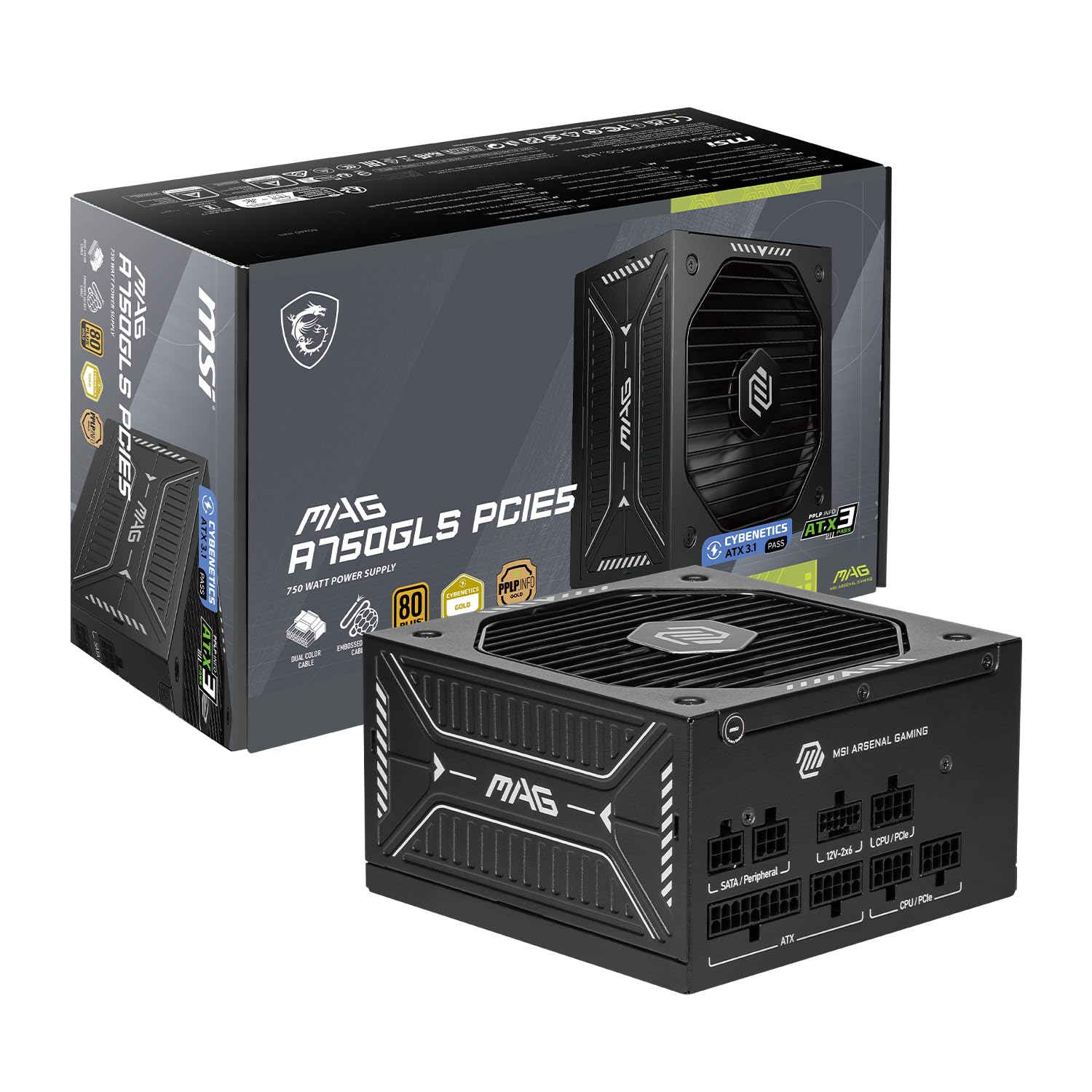
MSI MAG A750GLS PCIE5 makes the most sense for upper-midrange gaming builds that do not require 850W.
Its strongest argument is current standards, modular cabling, and a practical 750W capacity. The main compromise is less upgrade headroom for very power-hungry GPUs and CPUs.
A power supply should be chosen for the complete system, not only the graphics card. Compare sustained system demand, transient spikes, connector requirements, case clearance, local warranty, and the exact listing before ordering.
Capacity and sizing
750W should provide useful headroom, not wasteful excess
Use the CPU and GPU manufacturers' guidance as a starting point, then include drives, cooling, USB devices, power spikes, and future upgrades. A sensible margin can improve acoustics and longevity, but buying far more wattage does not automatically make a system safer.
Efficiency and standards
80 PLUS Gold with ATX 3.1 / PCIe 5.1
Efficiency certification describes performance at defined loads; it is not a complete quality score. The platform, protections, voltage regulation, ripple control, temperature behavior, and warranty still matter. Modern ATX support is particularly useful for handling short GPU power excursions.
Cables and installation
Fully modular cabling and low-noise 120mm-class fan
Plan cable routes before installing the graphics card. Confirm every required CPU and GPU connector, fully seat each plug, leave room behind the case panel, and use only the cables supplied or explicitly approved for this exact PSU model.
Who should buy it
These are the reasons to put it on the shortlist
- Native 12V-2x6 connector
- Flexible embossed cables
- Compact ATX chassis
Reasons to pause
Know the compromises before committing
- Verify GPU maker wattage recommendations
- The exact warranty term varies by listing and region
Safety checklist
Four checks before powering on the PC
- Never mix modular cables: connectors that physically fit can use different electrical pinouts.
- Seat GPU power fully: insert 12V-2x6 or 12VHPWR connectors completely and avoid a sharp bend beside the plug.
- Confirm compatibility: check case clearance, connectors, input voltage, AC cord, seller, and regional warranty.
- Never open the PSU: internal capacitors can retain dangerous energy even when disconnected.
MSI MAG A750GLS PCIE5 deserves a place on the shortlist when its capacity and connectors match the complete build.
Confirm the exact model, seller, warranty, included cables, and final price before ordering.
As an Amazon Associate, we may earn from qualifying purchases.